
Dashboard Empty States
Stay22 · New dashboard rollout (stealth release) · 2025
Reusable empty states and chart defaults for analytics surfaces, designed to be calm, informative, and consistent across light/dark mode—while transitioning smoothly into real data visualizations.
Problem
Newly onboarded or low-volume partners often land on analytics pages with no activity yet. Without intentional empty states, “no data” can feel like an error. The UI needed to set expectations, preserve trust, and keep the dashboard feeling complete until data appears.
Users
Stay22 affiliate partners viewing analytics such as Transactions and Commissions, including partners with no activity yet (or limited activity in the selected range).
Approach
- Designed reusable empty states with clear, reassuring copy and lightweight iconography aligned with the dashboard visual system.
- Ensured continuity by keeping the same chart containers between empty and populated states to minimize layout shift.
- Maintained theme parity so the same hierarchy and legibility holds in light and dark mode.
Empty States (Light & Dark)
No-data states that feel intentional and preserve hierarchy across themes.

Light-mode empty state for a decision card.
OpenChart Defaults (Empty → Data)
A smooth transition from empty containers into populated charts.
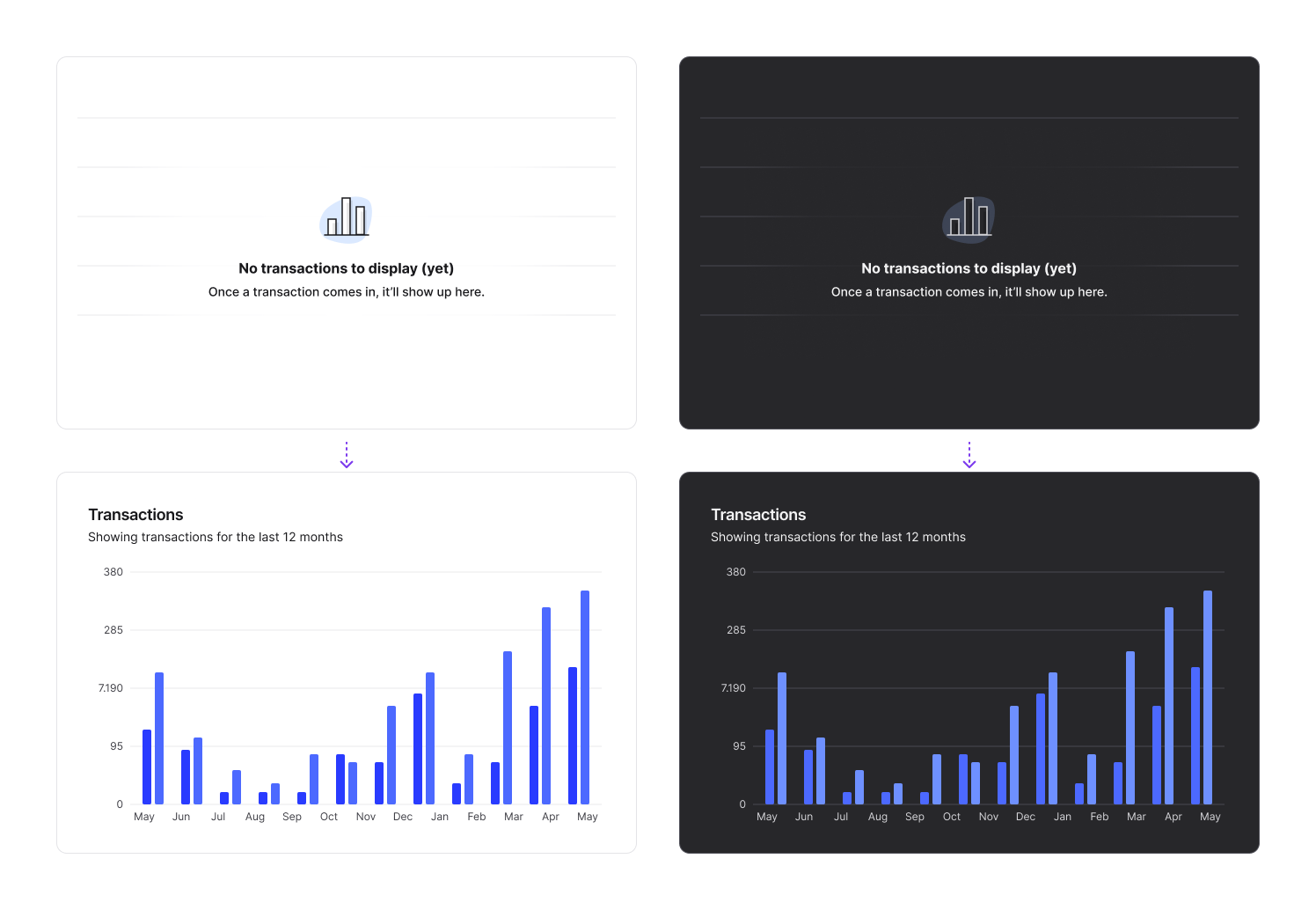
Bar chart transitions from empty to populated state.
OpenOutcomes
- Established reusable empty-state patterns that improve trust for new/low-volume partners.
- Reduced perceived “brokenness” by explaining what will appear and keeping containers consistent between empty and populated states.
- Maintained light/dark parity for analytics modules as part of the dashboard redesign migration.
Screens shown as design work samples. Product details may be simplified.